English
Invoice automation often starts with OCR, but OCR alone does not solve the finance problem. Accounts payable still needs to know whether the vendor is approved, the purchase order matches, tax is reasonable, the total is within threshold, and the right manager has approved the spend.
A useful design treats the invoice as a workflow item, not as a document conversion task.
Minimum workflow
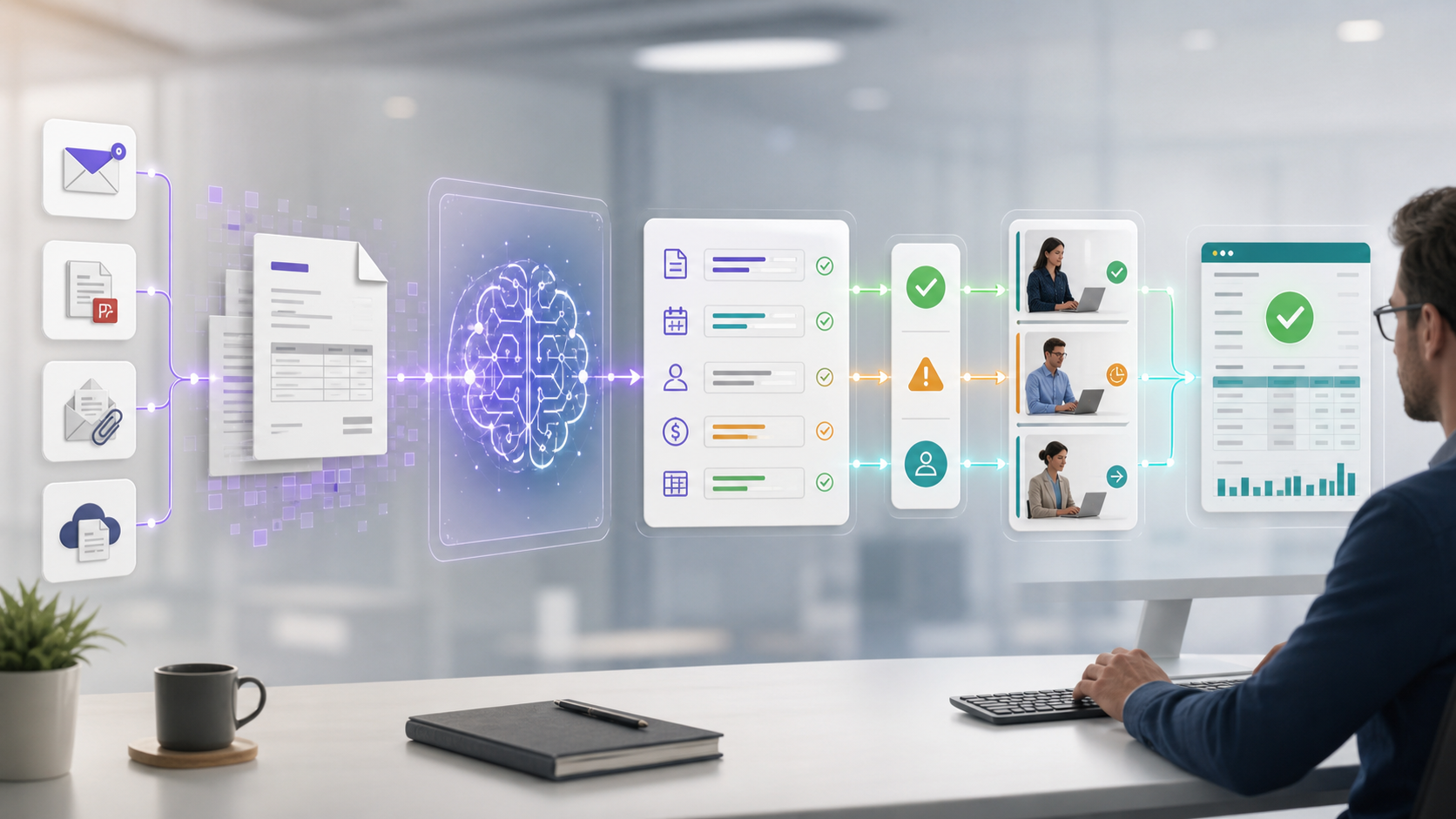
- Monitor a finance inbox and collect PDF or image attachments.
- Extract vendor, invoice number, dates, line items, tax, currency, purchase order, and total into a fixed JSON schema.
- Validate the schema against vendor master data, duplicate invoice history, PO balance, and approval thresholds.
- Route exceptions to a finance reviewer with the source document beside the extracted fields.
- Send clean invoices to approval, then post to ERP or create an ERP-ready payload.
Where AI helps most
AI is valuable for messy layouts, multilingual invoices, email context, missing-field detection, and summarizing why a document needs review. Deterministic rules should still handle totals, duplicate checks, threshold routing, and required approvals.
Controls to add from day one
Store the original file, extracted data, validation result, approver, timestamps, and final ERP reference. Keep confidence scores visible, but do not rely on confidence alone. A low-risk small invoice and a high-value invoice should not use the same automation path.
Success metrics
Measure manual keystrokes removed, invoice cycle time, exception rate, duplicate detection, approval delay, and percentage of invoices posted without rework. If the process only extracts data but still needs the same manual chasing, the automation is incomplete.
Tiếng Việt
Tự động hóa hóa đơn thường bắt đầu với OCR, nhưng OCR đơn thuần không giải quyết được bài toán tài chính. Kế toán công nợ vẫn cần biết nhà cung cấp đã được duyệt hay chưa, đơn đặt hàng có khớp không, thuế có hợp lý không, tổng tiền có nằm trong ngưỡng không, và đúng người quản lý đã duyệt khoản chi.
Một thiết kế hữu ích nên coi hóa đơn là một hạng mục quy trình làm việc, chứ không phải một tác vụ chuyển đổi tài liệu.
Quy trình tối thiểu
- Theo dõi hộp thư tài chính và thu thập tệp đính kèm PDF hoặc hình ảnh.
- Trích xuất nhà cung cấp, số hóa đơn, ngày tháng, chi tiết dòng hàng, thuế, tiền tệ, đơn đặt hàng và tổng tiền vào một lược đồ JSON cố định.
- Kiểm chứng lược đồ đối chiếu với dữ liệu gốc nhà cung cấp, lịch sử hóa đơn trùng lặp, số dư đơn đặt hàng và ngưỡng phê duyệt.
- Chuyển các trường hợp ngoại lệ cho người kiểm tra tài chính, kèm tài liệu gốc bên cạnh các trường đã trích xuất.
- Gửi các hóa đơn hợp lệ đi phê duyệt, sau đó ghi vào ERP hoặc tạo payload sẵn sàng cho ERP.
AI hữu ích nhất ở đâu
AI có giá trị với bố cục lộn xộn, hóa đơn đa ngôn ngữ, ngữ cảnh email, phát hiện trường thiếu, và tóm tắt lý do tài liệu cần xem xét. Các quy tắc xác định vẫn nên xử lý tổng tiền, kiểm tra trùng lặp, định tuyến theo ngưỡng và các phê duyệt bắt buộc.
Kiểm soát cần có ngay từ đầu
Lưu trữ tệp gốc, dữ liệu đã trích xuất, kết quả kiểm chứng, người phê duyệt, dấu thời gian và tham chiếu ERP cuối cùng. Giữ điểm tin cậy luôn hiển thị, nhưng đừng chỉ dựa vào điểm tin cậy. Một hóa đơn nhỏ rủi ro thấp và một hóa đơn giá trị cao không nên đi cùng một luồng tự động hóa.
Chỉ số thành công
Đo lường số thao tác nhập liệu thủ công đã loại bỏ, thời gian xử lý hóa đơn, tỷ lệ ngoại lệ, phát hiện trùng lặp, độ trễ phê duyệt, và tỷ lệ hóa đơn được ghi nhận mà không cần làm lại. Nếu quy trình chỉ trích xuất dữ liệu nhưng vẫn cần theo đuổi thủ công tương tự, tự động hóa đó chưa hoàn chỉnh.